 MarvoHelp Center
Hot leads
Follow-ups > Hot leads collects people whose latest call ended as a yes, a next step, a callback request or an enquiry. One row per person.
Statuses
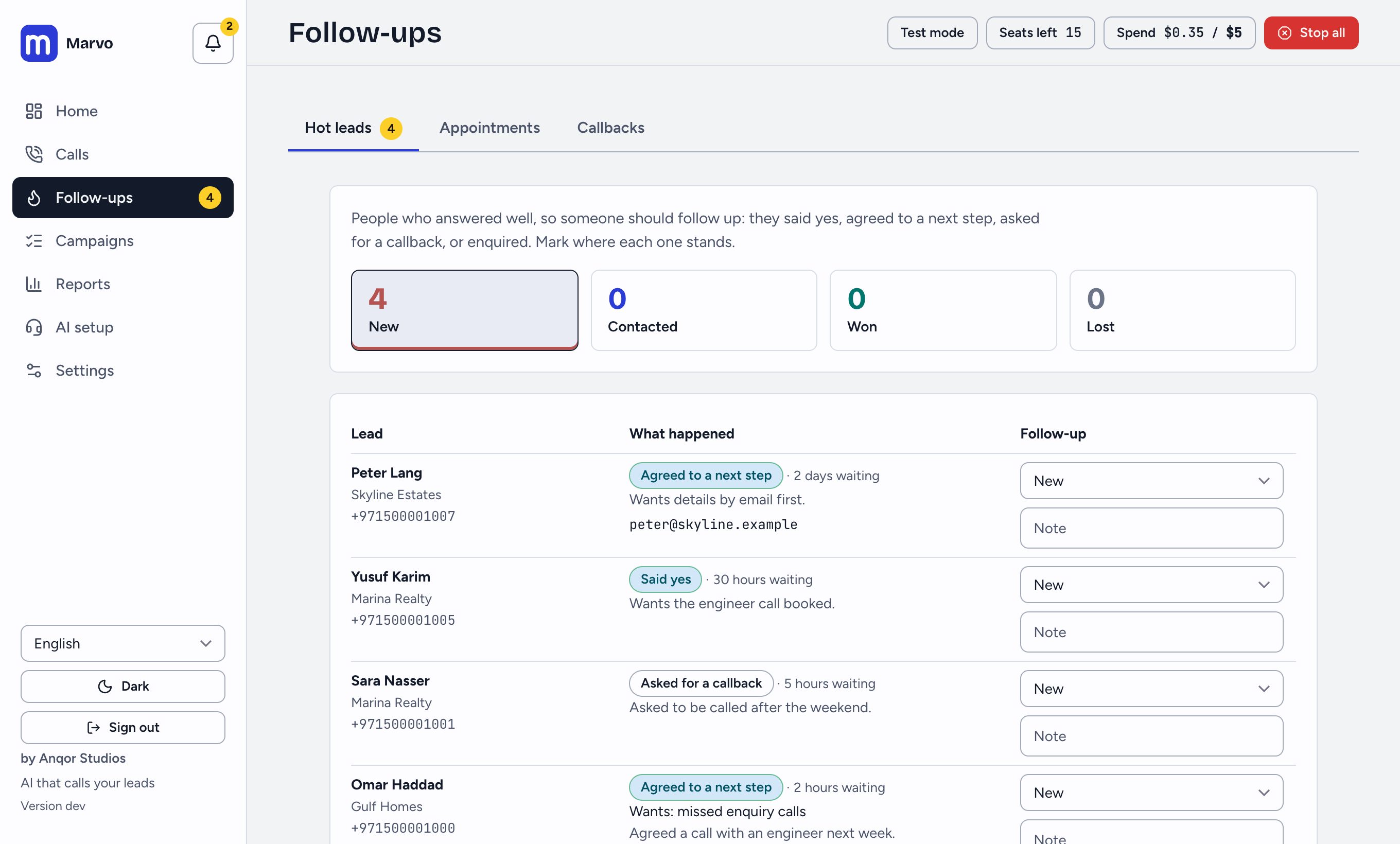
New, Contacted, Won, Lost. Press a row to open the call and read what was said; mark the status as you work and add a note. A new hot call re-opens someone as New, so a later conversation is never missed.
The list is ordered with New first and the longest waiting at the top. People on the do-not-call list or who opted out never appear.
Get told
- The bell at the top of the navigation and Home show how many new hot leads are waiting.
- If your owner connected email or a webhook (Settings > System > Alerts), each new hot lead is also sent there, once.
Contact them quickly
Speed matters. Open the row to see what they wanted (their words, from the call), then call or message them yourself. You can also place a call from Calls or schedule one from the call sheet.
Did this answer your question?
Thanks for telling us. If something is missing, email hello@marvo.cc.