 MarvoHelp Center
The Calls page
Calls lists every call, newest first. Use the filters to show answered, unanswered or opted-out calls, and the search box to find a number or name.
Statuses
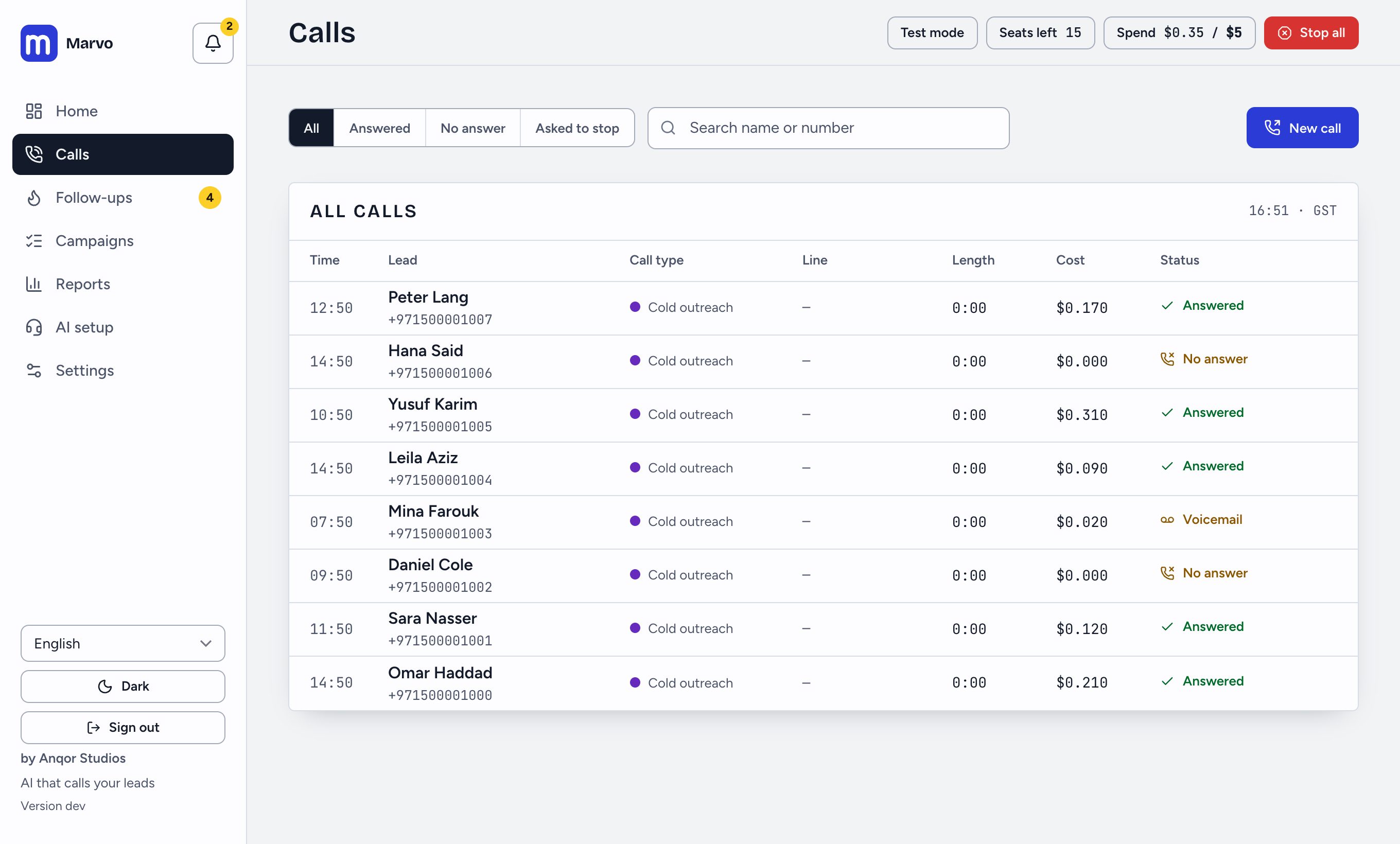
Calls move through queued, ringing and live, then end as answered, no answer, voicemail, failed or opted out. A coloured dot beside the call type shows which kind of call it was.
Open a call
Press any row to open its sheet:
- Transcript of the conversation, and the recording if your phone line records.
- Outcome: the AI’s reading of how the call ended (for example a yes, a next step, a callback request, not interested). It is a judgement from the transcript, not a payment or signed deal.
- Contact details the person gave: name, email, phone, company, what they want and when to call back. Only what they said is kept.
- Send to CRM and its status, if you have connected a CRM, with a button to send again.
- Call back later to schedule a call at a time you choose.
Inbound calls
If you use the front desk, calls to your line appear here too, marked as inbound, with outcomes such as enquiry, routed or support.
Did this answer your question?
Thanks for telling us. If something is missing, email hello@marvo.cc.